Hello Shaan
Based on your description of your topology, the setup should work correctly. I’m assuming that your subinterface of Fa0/0.10 is on VLAN 10. Based on your description, I’ve prepared the following diagram:
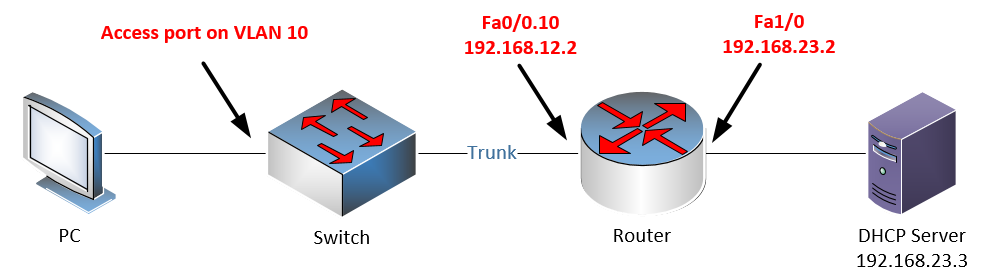
When troubleshooting, test the following:
- Make sure that the correct VLAN is configured on the trunk interface of the switch, as well as on the subinterface of the router
- Test the subinterface and trunk configuration by statically assigning an IP address to the PC, such as 192.168.12.55 255.255.255.0 and attempt to ping the Fa0/0.10 interface. If it is not successful, then there is a problem with the switch/trunk/router configuration.
- If the above test is successful, then you should check the relay agent configuration for correctness, and the operation of the DHCP server.
If you need some additional information about the configuration of subinterfaces, take a look at the following lesson:
I hope this has been helpful!
Laz